Hexo的matery主题问题修复 本文详细记录了Hexo的matery主题中代码块相关问题的修复过程,包括代码框显示两个收缩和复制按钮的问题、收缩按钮不生效的问题以及复制功能不生效的问题。
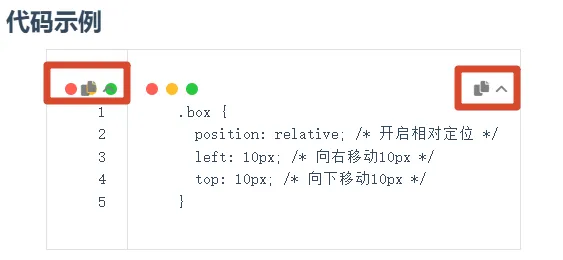
问题一:代码框显示两个收缩和复制按钮 问题描述 代码框显示了两个相同的收缩和复制按钮,且两个按钮均不生效。
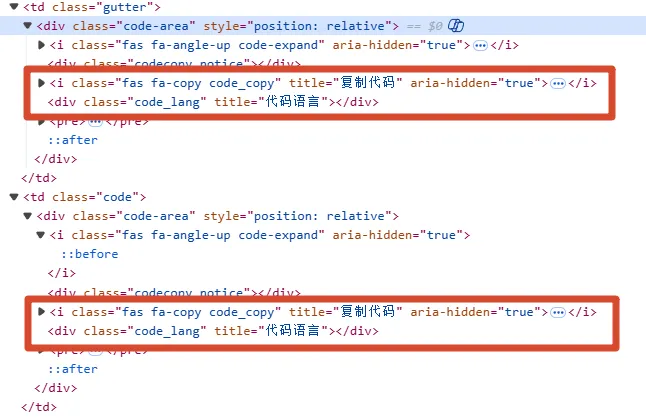
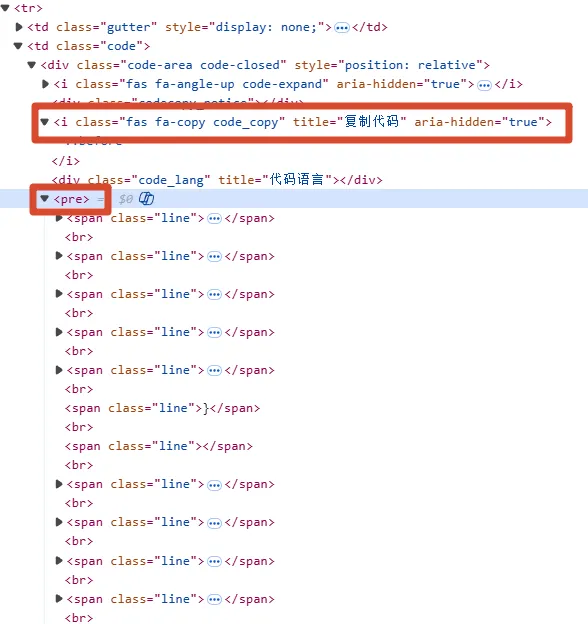
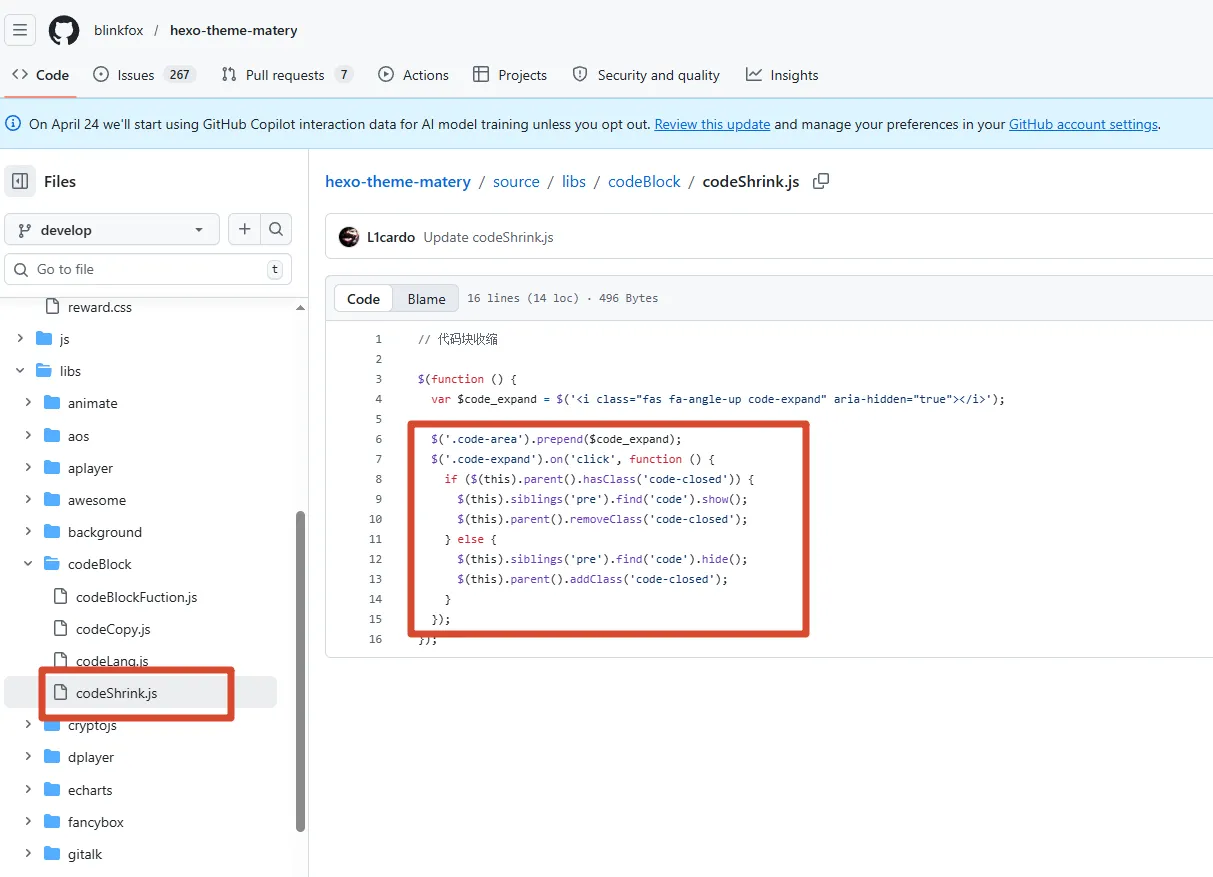
原因分析 通过F12开发者工具查看,发现确实存在两个相同的按钮元素。对源码进行全局搜索code-area,发现是通过jQuery创建和添加元素的,代码如下:
1 2 3 4 5 6 7 8 9 10 $(function ( var $copyIcon = $( '<i class="fas fa-copy code_copy" title="复制代码" aria-hidden="true"></i>' , ); var $notice = $('<div class="codecopy_notice"></div>' ); $(".code-area" ).prepend ($copyIcon); $(".code-area" ).prepend ($notice); });
通过对比页面结构,发现存在两个code-area盒子,其中后一个code-area盒子同时被code盒子包裹。
解决方案 修改选择器,只对被code包裹的code-area盒子添加元素:
1 2 3 4 5 6 7 8 9 10 $(function ( var $copyIcon = $( '<i class="fas fa-copy code_copy" title="复制代码" aria-hidden="true"></i>' , ); var $notice = $('<div class="codecopy_notice"></div>' ); $(".code .code-area" ).prepend ($copyIcon); $(".code .code-area" ).prepend ($notice); });
同样,对收缩按钮的代码也进行相同修改:
1 2 3 4 5 6 7 8 $(function ( var $code_expand = $( '<i class="fas fa-angle-up code-expand" aria-hidden="true"></i>' , ); $(".code .code-area" ).prepend ($code_expand); });
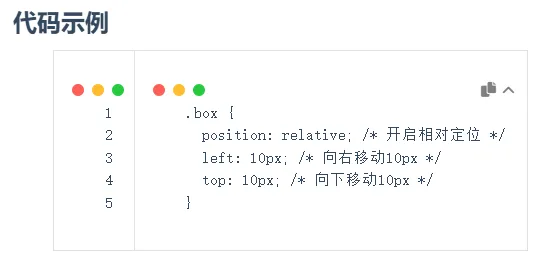
修复后效果图:
问题二:收缩按钮不生效 问题描述 点击收缩按钮后,代码块没有收缩效果。
原因分析 查看源码,发现原有代码是使用jQuery监听.code-expand的点击事件,通过控制code的show和hide进行实现的,但是没有生效。问题在于代码查找的是this元素的兄弟节点中的code元素,这在实际页面结构中是找不到的。
解决方案 修改收缩按钮的点击事件处理逻辑,同时修改CSS样式以实现更好的收缩效果:
修改JavaScript代码 :1 2 3 4 5 6 7 8 9 10 11 12 13 14 15 16 17 18 19 20 $(function ( var $code_expand = $( '<i class="fas fa-angle-up code-expand" aria-hidden="true"></i>' , ); $(".code .code-area" ).prepend ($code_expand); $(".code .code-area" ).on ("click" , ".code-expand" , function ( var codeAreaElement = $(this ).parent (); var trElement = $(this ).closest ("tr" ); if (codeAreaElement.hasClass ("code-closed" )) { codeAreaElement.removeClass ("code-closed" ); trElement.removeClass ("code-closed" ); } else { codeAreaElement.addClass ("code-closed" ); trElement.addClass ("code-closed" ); } }); });
修改CSS样式 :1 2 3 4 5 6 7 8 9 10 11 12 13 14 15 16 17 18 19 20 21 22 23 24 25 26 27 28 29 30 31 32 33 34 35 36 .code-closed .code-expand { transform : rotate (-180deg ) !important ; transition : all 0.3s ; } .code-closed pre::before { height : 0 ; } .code-closed .code-expand { transform : rotate (-180deg ) !important ; transition : all 0.3s ; } #articleContent .code .code-closed { min-width : 280px ; height : 0 !important ; min-height : 0 !important ; overflow : hidden; transition : all 0.3s ease-in-out; } figure .highlight table tbody tr { transition : all 0.3s ease-in-out; overflow : hidden; } figure .highlight table tbody tr :has (.code-closed ) { height : 30px !important ; max-height : 30px !important ; overflow : hidden !important ; }
修改后效果图:
问题三:复制功能不生效 问题描述 点击复制按钮后,无法复制代码内容。
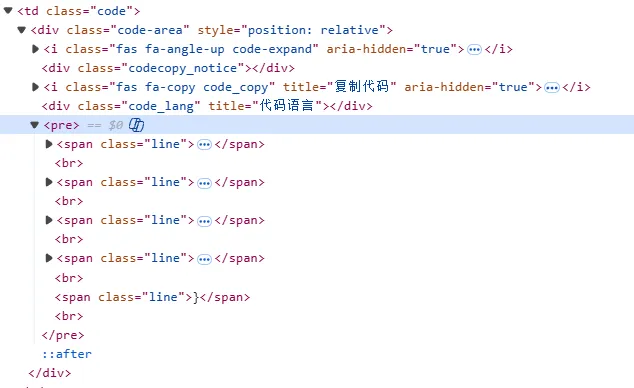
原因分析 查看源码,发现复制功能的实现逻辑是查找.code-area .fa-copy元素的兄弟节点中的pre元素下的code元素,但是根据页面结构,这个查找方式有问题。
解决方案 修改复制按钮的点击事件处理逻辑,直接查找兄弟元素pre即可:
1 2 3 4 5 6 7 8 9 10 11 $(".code-area .fa-copy" ).on ("click" , function ( var selection = window .getSelection (); var range = document .createRange (); range.selectNodeContents ($(this ).siblings ("pre" )[0 ]); selection.removeAllRanges (); selection.addRange (range); var text = selection.toString (); copy (text, this ); selection.removeAllRanges (); });
修复效果 修复后,代码块现在只显示一个收缩和复制按钮,且两个按钮均能正常工作:
收缩按钮 :点击后代码块会平滑收缩,只显示代码块的标题部分,再次点击则会平滑展开复制按钮 :点击后会复制代码内容,并显示”复制成功”的提示信息注:截至2026年4月8日,GitHub上的matery主题源码仍未包含这些修复。